Tuesday, September 16, 2008

Dorkbot SoCal Sept. 27

Dorkbot SoCal 31 - "Nerd Droid", univac, Mack


Saturday, September 27, 2008
1:00pm
Machine Project
1200 D North Alvarado Street
Los Angeles, CA 90026
free!

Dorkbot SoCal is the LA chapter of the global technological arts ogranization whose motto is "people doing strange things with electricity!"

Presenters:

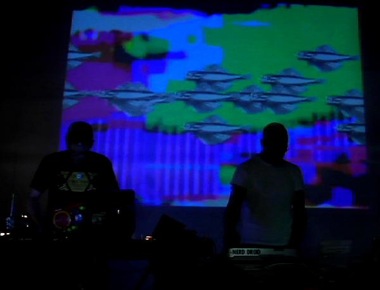
"Nerd Droid" (Jerrold Ridenour & Anthony Magnetta)
http://myspace.com/nerddroid

Instrument bending and video glitching VJ duo

Tom Koch (univac)
http://techdweeb.com

Musical Gadgets

Kevin Mack
http://www.kevinmackart.com/


Mathematical Abstract 3D Art

More info at:
http://dorkbot.org/dorkbotsocal


Thursday, September 04, 2008

XLST and Namespace Pain

OK, imagine you have this XML:

<?xml version = "1.0" encoding = "ISO-8859-1"?>
<alert xmlns = "urn:oasis:names:tc:emergency:cap:1.1">
  <info>
   <category>Met</category>
  </info>
<alert>

How do you refer to the "category" tag in XPath for XSLT, as it is in the "urn:oasis:names..." namespace?

  1. Ignore the namespace, and do something like:  

    <xsl:apply-templates select ="//*[local-name()='category']" />

  2. Define the namespace in the stylesheet tag and use the full path:

    <xsl:stylesheet xmlns:xsl="http://www.w3.org/1999/XSL/Transform" version="1.0" xmlns:cap = "urn:oasis:names:tc:emergency:cap:1.1">
    ...
    <xsl:apply-templates select ="cap:alert/cap:info/cap:category" />


  3. Or define the namespace and use a simplified path:

    <xsl:apply-templates select ="//cap:category" />


It took me a long time to work this out....

Thursday, August 28, 2008

Cool iPhone apps

This is barely art related, but I have three new favorite iPhone apps.

OliveToast files is awesome.  It allows you to send files over WiFi (I often use an Ad-Hoc network) to the iPhone, and then you can read them (PDF, Word, JPEG, etc.) along with the ability to bookmark where you are in the files.  I am going to use this to learn Objective C from the Apple PDF book so I can program the iPhone. 

If you are musical, you will like BeatMaker sampler/sequencer from Intua.

And for those who miss HP calculators, try PCalc for iPhone.

Wednesday, July 09, 2008

LA Tech Art Events for July

Midnight Thursday July 10th to midnight Friday July 11th
Machine Project (in Echo Park) will be projecting a continuous live broadcast which tracks the sun around the Earth, with help from a very large circle of camera-ready friends and volunteers worldwide. A participant in every time zone points their computer camera to the sky between 11:30am and 12:30pm, with one timezone handing off to the next, feeding back “mid-day” to Machine Project via live video for 24 hours. Have you always been curious what it is like to stare directly at the sun from places like Tonga, Estonia, Texas, Iran or the Polar ice cap in Greenland? This is your chance to find out.


July 17, 2008 8PM 
ResBox @ STEVE ALLEN THEATER at the Center For Inquiry - West, 4773 Hollywood Blvd.

A monthly event featuring the world's best experimental music, curated
by musician and filmmaker Hans Fjellestad.

This month: EZRA BUCHLATREASURE MAMMALJASON ROBINSON & DJ TENSHUNKADET KUHNE and the resident audio visualist VJ FADER


July 19 7PM - 7AM 

GLOW on the beach in Santa Monica:

"Glow will fill the hours between dusk to dawn with compelling, enchanting and effervescent sights and sounds situated in spaces and times that expand possibilities for where, how and when the public experiences contemporary art."

Artists will include Usman Haque (who did the 1000 helium balloons with radio controlled LEDs inside for the 2006 Signapore Biennale. Also there will be Shih Chieh Huang who will be creating a "Neptunian lair" along the pedestrian path under the Santa Monica Pier.

Machine Project also says they will be presenting at GLOW as well.


July 26 1PM @ Machine Project

Steven Gentner  will be speaking about a robot project built using RoboRealm, a powerful free computer vision based application for use in machine vision, image analysis, and image processing systems.

Gil Kuno  whose sonic artwork displace natural activity from its context, revealing an otherwise hidden level of metaphorical absurdity within the ordinary patterns present before our eyes.

Brett Doar a "paratechnologist" who creates "idiosyncratic electro-mechanical creatures out of inappropriate materials."

Wednesday, May 28, 2008

Breath Progress

Here is the Arduino BBB connected with the Adafruit Ethernet shield:

Arduino BBB and Ethernet Shield

One important issue if you get the Adafruit Ethernet shield, it will be much more useful if you have an Arduino with an ATmega168, since then it can use the AF SoftSerial library.

You see, the ATmega only has one hardware serial port, and you are generally busy using that to upload programs and monitor Arduino operation during testing.  Lady Ada has put together a software serial library that doesn't suck (unlike the standard Arduino software serial library), but it depends on having an ATmega168 rather than an ATmega8.

If you have an old Arduino (like the NG), you can pick up a pre-programmed ATmega168 from Adafruit to swap for your old ATmega8.

Here is my simplified version of a Lady Ada Xport example, creating a general "httpget" example.  And yes, it works!

#include "AFSoftSerial.h"
#include "AF_XPort.h"
#include
#include

char linebuffer[256];
int lines = 0;

#define XPORT_RXPIN 2
#define XPORT_TXPIN 3
#define XPORT_RESETPIN 4
#define XPORT_DTRPIN 0  // I'm not using DTR
#define XPORT_CTSPIN 6
#define XPORT_RTSPIN 7

AF_XPort xport = AF_XPort(XPORT_RXPIN, XPORT_TXPIN, XPORT_RESETPIN, XPORT_DTRPIN, XPORT_RTSPIN, XPORT_CTSPIN);

uint8_t errno,ret;
uint32_t laststatus = 0, currstatus = 0;

void setup() {

Serial.begin(57600);
xport.begin(9600);
}

void loop()
{


ret = httpget("64.233.183.104",80,"www.google.com","/"); 

if (ret)
Serial.println("get successful");
else
Serial.println("not successful");
delay(10000);
}

uint8_t httpget(char *ipaddr,
int port,
char *hostname,
char *httppath) {
uint8_t ret;
uint8_t success = 0;

ret = xport.reset();
Serial.print("Ret: "); Serial.print(ret, HEX);

switch (ret) {
case ERROR_TIMEDOUT: {
Serial.println("Timed out on reset!");
return 0;
}
case ERROR_BADRESP: {
Serial.println("Bad response on reset!");
return 0;
}
case ERROR_NONE: {
Serial.println("Reset OK!");
break;
}
default:
Serial.println("Unknown error");
return 0;
}


// time to connect...

ret = xport.connect(ipaddr, port);
switch (ret) {
case ERROR_TIMEDOUT: {
Serial.println("Timed out on connect");
return 0;
}
case ERROR_BADRESP: {
Serial.println("Failed to connect");
return 0;
}
case ERROR_NONE: {
Serial.println("Connected..."); break;
}
default:
Serial.println("Unknown error");
return 0;
}

xport.print("GET ");
xport.print(httppath);
xport.println(" HTTP/1.1");
xport.print("Host: "); xport.println(hostname);
xport.println("");

success=0;
while (1) {
// read one line from the xport at a time
ret = xport.readline_timeout(linebuffer, 255, 3000); // 3s timeout
// if we're using flow control, we can actually dump the line at the same time!
Serial.println(linebuffer);
if (strstr(linebuffer, "HTTP/1.1 200 OK") == linebuffer)
success = 1;

if (errno == ERROR_TIMEDOUT)
Serial.println("ERROR_TIMEDOUT");

if (xport.disconnected())
Serial.println("xport.disconnected");

if (((errno == ERROR_TIMEDOUT) && xport.disconnected()) ||
((XPORT_DTRPIN == 0) &&
(linebuffer[0] == 'D') && (linebuffer[1] == 0))) {
Serial.println("\nDisconnected...");
return success;
}
}
}


Sunday, May 11, 2008

BBB for Breath-to-Breath

I am working on a breath-to-breath phy2phy project. I already had one Arduino NG around, so I purchased an Adafruit Ethernet Shield, and also a Modern Device Bare-Bones Board Arduino clone with a USB-to-TTL serial cable.

"Arduino" Bare-Bones Board

The BBB board had a couple of holes that were still filled with solder, so I had to solder wick them and then heat up a little piece of lead snipped from a resistor and used the soldering iron to heat up the lead and push through the solder-filled holes to open them up.

BBB versus Arduino


Just to be clear, standard Arduino shields do not fit on the Bare-Bones Board (so I probably should have purchased a Really Bare-Bones Board), but you can always hook it up with wires.

I am developing for the Arduino and BBB on a MacBook using the USB to TTL serial cable fro FDTI. Make sure you follow the OS X instructions on how to install the FDTI drivers. These will allow you to use either a USB cable to a Arduino or the FDTI USB to TTL cable for the BBB/RBBB. Also make sure you choose the correct ATMEGA chip from the Arduino software menu. And since there isn't much indication that the BBB works (unlike the flashing LEDs on the Arduino), so try a serial example on the BBB to convince yourself that you are uploading and running a program.

Here is the Ethernet shield on an Arduino NG:

Xport Shield on Arduino

I am awaiting two Xport directs in the post, then I can really get to business.
Tuesday, April 08, 2008

2,300 mile touch over IP

On Saturday, I guest hosted & presented at Dorkbot SoCal.  Along with Damon Seeley who showed off some super projects by Electroland (including live video from their Target Breezeway in Rockefeller Center), Gilad Lotan who showed some of his projects including the heartbeat-sharing imPulse, and a discussion of the Make:Way entry to the 24 Hours of LeMons race, I demoed touching someone 2,300 miles away over IP. Douglas Welch shot and edited this great video of the demo: