Monday, December 15, 2008

Anemometer Impellers

I saw some Kestrel replacement anemometer impellers for a reasonable price, and thought they might be good for the "input" section of my breath-over-IP project.  PC case fans turn better when "gutted" of their coils, but you still have to blow pretty hard to make them move.  The replacement impellers brought the promise of spinning under exceedingly low air speeds because of their jeweled bearings.

So the good news:  The replacement impellers do spin very easily.  The lightest breeze your mouth can produce will spin them.  Perhaps they are even too sensitive, as just moving the impeller will make the blades move.

The surprise:  They are really small - from left to right is the case fan, the impeller, and a quarter:

IMG_0006

My Radio Shack IR emitter/detector pair were going to be too big & bright for the job, so I went to Fry's and picked up an NTE3029B IR emitter and the matched NTE3034A phototransistor.  These devices are small, side-looking devices with integrated lenses and are much more appropriate for the job with the small impeller.

IMG_0002

Here is the Kestrel impeller as a "breath input" using an Arduino and a case fan "breath output":


According to the Nielsen-Kellerman patent, there actually is a little magnet in the impeller somewhere which might be able to sensed with the proper sensor.  I am considering getting a Hall Effect sensor and trying it out, but at least I know the IR scheme works.

Wednesday, December 10, 2008

Opto-interrupters for Breath

Recap:  "Breath" is a breath-over-IP phy2phy system.  You blow on one fan (anemometer, whatever you want to call it), that data is sent over IP to the other side where a fan it turned on to match how strong you are blowing on it.  It was inspired to some extend by Scott Snibbe's "Blow Up".

At first I thought I'd do a "half-duplex" solution with a single fan being both the anemometer and the powered fan.  Unfortunately, it takes a lot of wind to blow a case fan around.  I discovered that if you take the coils out of a fan, it spins much easier!  Which lead me to a "full-duplex" solution of one gutted fan as an anemometer, and another as the actual fan.

To measure the anemometer, I started out with an NTE3100 slot-type opto-interruptor, using a piece of aluminum from a can to slide through the slot:

Using a slot-style opto-interrupter

This had the advantage that the NTE3100 available at Fry's.  The disadvantage was that the aluminum bit takes up excess space and could get bent.


We all know that Radio Shack isn't what it used to be, but guess what, they still carry 276-142 "Matched IR Emitter and Phototransistor".  So I mocked them up on a breadboard with the Arduino to ensure it was dependably reading over the distance required:


IR Emitter, Detector, and Arduino


IR Emitter (looks blue to camera)


IR Emitter detector pair and fan

Next step:  I need to get another NTE2987 (N-ch, logic level FET) from Fry's.  I also need wire wrap sockets from Fry's so that I can stick an Arduino ProtoShield in between the Arduino and the Ethernet Shield.  Then just solder it all together and do the software!

Also I may move up from a gutted fan to a real anemometer impeller (with jewel bearings, etc.)

Sunday, November 23, 2008

"Observe" at Art Center College of Design, Pasadena, CA

OBSERVE

October 11, 2008 — January 9, 2009

Alyce de Roulet Williamson Gallery
Art Center College of Design
1700 Lida Street
Pasadena, CA 91103
626.396.2200

Gallery hours:
Tuesday through Sunday:
12 noon to 5 pm
Friday:
12 noon to 9 pm

A collaboration between Spitzer Science Center, California Institute of Technology and Alyce de Roulet Williamson Gallery, Art Center College of Design.

In August 2007 scientists managing the infra-red NASA Spitzer Space Telescope began a series of conversations with five contemporary artists.

Intended to inform the artists' creation of original artworks, the conversations were a port of OBSERVE, a collaboration between Art Center College of Design and California Institute of Technology. Deep space exploration reveals spectacular concepts that torque our everyday understanding of reality -- black hole physics, multiple universes, string theories, time distortions -- and that challenge our human-centered cultural traditions and beliefs.

OBSERVE commissioned Southern California artists Lita Albuquerque, Lynn Aldrich, Dan Goods, George Legrady, and Daniel Wheeler to engage with Spitzer's knowledge and technology resources, and explore the implications of its discoveries.

Sunday, November 09, 2008

Digital Eyes 2008

Digital Eyes 2008, New Esthetic Dimensions in Computer Visualization Technology.

November 6, 2008 – January 18, 2009
Los Angeles Municipal Art Gallery (map)
4800 Hollywood Blvd., Los Angeles, CA 90027

Gallery Hours
Thursday – Sunday, 12 noon - 5 pm
(First Friday of the month, 12 noon – 9 pm)
(323) 644-6269

DigitalEyes 2008 – 2009 is a mind-bending overview of new esthetic dimensions in computer visualization technology. The exhibition exists in both the real and virtual worlds, representing innovative and spectacular work by artists from artists from twenty-five countries, including Argentina, Austria, Australia, Belgium, Canada, China, Croatia, France, Germany, Hungary, India, Ireland, Israel, Japan, Latvia, Mexico, New Zealand, Poland, Romania, South Korea, Spain, Switzerland, Ukraine, United Kingdom, and USA.

Tuesday, September 16, 2008

Dorkbot SoCal Sept. 27

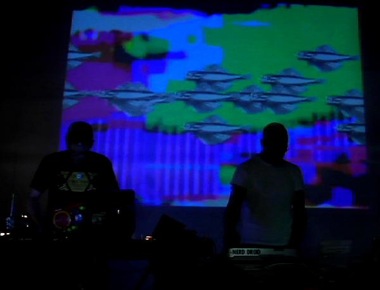
Dorkbot SoCal 31 - "Nerd Droid", univac, Mack


Saturday, September 27, 2008
1:00pm
Machine Project
1200 D North Alvarado Street
Los Angeles, CA 90026
free!

Dorkbot SoCal is the LA chapter of the global technological arts ogranization whose motto is "people doing strange things with electricity!"

Presenters:

"Nerd Droid" (Jerrold Ridenour & Anthony Magnetta)
http://myspace.com/nerddroid

Instrument bending and video glitching VJ duo

Tom Koch (univac)
http://techdweeb.com

Musical Gadgets

Kevin Mack
http://www.kevinmackart.com/


Mathematical Abstract 3D Art

More info at:
http://dorkbot.org/dorkbotsocal


Thursday, September 04, 2008

XLST and Namespace Pain

OK, imagine you have this XML:

<?xml version = "1.0" encoding = "ISO-8859-1"?>
<alert xmlns = "urn:oasis:names:tc:emergency:cap:1.1">
  <info>
   <category>Met</category>
  </info>
<alert>

How do you refer to the "category" tag in XPath for XSLT, as it is in the "urn:oasis:names..." namespace?

  1. Ignore the namespace, and do something like:  

    <xsl:apply-templates select ="//*[local-name()='category']" />

  2. Define the namespace in the stylesheet tag and use the full path:

    <xsl:stylesheet xmlns:xsl="http://www.w3.org/1999/XSL/Transform" version="1.0" xmlns:cap = "urn:oasis:names:tc:emergency:cap:1.1">
    ...
    <xsl:apply-templates select ="cap:alert/cap:info/cap:category" />


  3. Or define the namespace and use a simplified path:

    <xsl:apply-templates select ="//cap:category" />


It took me a long time to work this out....

Thursday, August 28, 2008

Cool iPhone apps

This is barely art related, but I have three new favorite iPhone apps.

OliveToast files is awesome.  It allows you to send files over WiFi (I often use an Ad-Hoc network) to the iPhone, and then you can read them (PDF, Word, JPEG, etc.) along with the ability to bookmark where you are in the files.  I am going to use this to learn Objective C from the Apple PDF book so I can program the iPhone. 

If you are musical, you will like BeatMaker sampler/sequencer from Intua.

And for those who miss HP calculators, try PCalc for iPhone.